Tuesday, 19 July 2016

transaction level validations

    Business Components for Java introduces three levels of validation:
  • attribute level
  • entity level
  • transaction level 
It is important to understand when they should be used and how to implement them.

    The attribute level should be used if some business rule applies just to it, for instance last name can't contain numbers or the phone number is mandatory. It is run for the attribute that is marked dirty in each of the entities, with an assumption that there is no other condition in the Groove implemented.

    On the entity level usually you should check for entity cross-attributes rules. For example is a person is foreigner, the passport number is required. It is run for each entity marked as dirty in the transaction, you can exclude some entities by setting a condition in Groove or by setting attributes that should be changed in order to fire validation. Because it is not needed to check for passport number if the foreigner flag attribute hasn't changed its value.

    Transaction level is on the top of the list. It is run once for all of the entities in the collection, that are marked as dirty.

    The wizard to create one is not so straight forward. First you need to start entity level validator, change it to Method like it's usually done for entity validators. But after that you need to go to the second tab and change validation level radio button. If you check previous tab then, the signature of the validation method has been changed. 
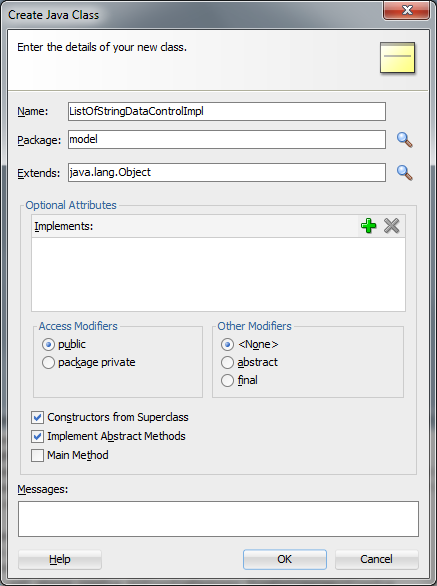
    For the test purposes I'm not putting the error message, there is no such need. Please ignore the warning popup after clicking OK. The EntityImpl class is created. I've put few lines of logging there and I've run the application module tester.
    It is not a good practice, but if you want to run the validation on whole collection, you can of course do it. By calling ((JboValidationContext)ctxList.get(0)).getSource()) you'll get EntityImpl class. On it you can call getDBTransaction().getRootApplicationModule() to find the application module instance (the root one, as the method name suggests), and then findViewObject() there.

Monday, 4 July 2016

How to access POJO data control current row's properties (using getDataProvider() method)

    I have created a POJO based data control which is returning a List<String> iterator. Because of some reasons I need to work not only with the direct binds in the page definition but also I want to access current row's properties. To give a picture of the problem, I've prepared an example:

    And now I want to put on the same page af:selectOneChoice component with all of the Strings from the list in my POJO DC. The most important thing is that the current row is not an instance of java.lang.String. It is an instance of oracle.adf.model.bean.DCDataRow class. Quick look into the JavaDoc, but no direct hint there. It is a wrapper that extends ViewRowImpl class (you may recognize it from BC4J stack). There is one method that, unfortunately, is not described in the documentation. It is called getDataProvider(), in EL it should be reffered as any other getter method. So, my choice component should look like this:

 
    And, to prove a point, it works also for more complex types of the data. Another example is for some artificial POJO class with two properties. After calling getDataProvider() on the current row you can call another getter method from the POJO class. In my EL for example it is #{row.dataProvider.label} to get label property. Please follow next few screens to check the solution.


Wednesday, 8 June 2016

List of Values switcher example in ADF 12c

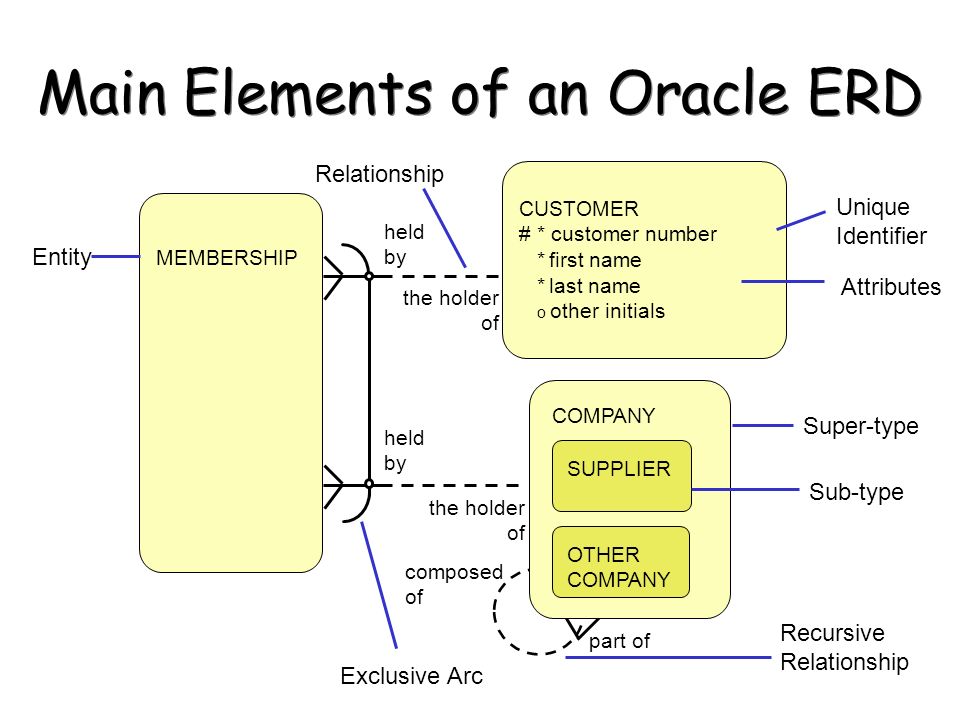
I would like to start with a little bit of history. A long time ago, while people were still modelling ERD diagrams, there was an interesting relation, that I'm used to call an "exclusive or" but in the various sources it can be called also "exclusive arc" or "exclusive bar". I'll use an image found using Google to picture the situation:    

Such notation implies that in the logical model, the MEMBERSHIP table contains one foreign key column that can point to CUSTOMERS table or (exclusively) to COMPANY table.

In the BC4J model layer there exist an ability to define list of values. Maybe you haven't noticed that one column can have assigned more than one list of values. Moreover, such an LOV model can be switched in the runtime.

In this post I'll focus on the middleware implementation, the database is just to provide background for the demo. To complicate more, the TYPE column won't be threated directly as switching attribute. It'll be used by a Groove expression on the VO level.

Definition for the database:    

-- schema creation
CREATE USER LOVSWITCHER IDENTIFIED BY lovswitcher;
GRANT  ALL PRIVILEGES TO LOVSWITCHER;

-- test structure and data
CREATE TABLE LOVSWITCHER.MAIN_TABLE ("ID" NUMBER NOT NULL ENABLE, "TYPE" VARCHAR2(100 CHAR), "ONE_KEY_COLUMN" NUMBER, CONSTRAINT "MAIN_TABLE_PK" PRIMARY KEY ("ID"));
CREATE TABLE LOVSWITCHER.DETAIL_TABLE1 ("ID" NUMBER NOT NULL ENABLE, "LABEL" VARCHAR2(100 CHAR), CONSTRAINT "DETAIL_TABLE1_PK" PRIMARY KEY ("ID"));
CREATE TABLE LOVSWITCHER.DETAIL_TABLE2 ("ID" NUMBER NOT NULL ENABLE, "LABEL" VARCHAR2(100 CHAR), CONSTRAINT "DETAIL_TABLE2_PK" PRIMARY KEY ("ID"));
INSERT INTO LOVSWITCHER.DETAIL_TABLE1 (ID, LABEL) VALUES (1, 'tab 1 label 1');
INSERT INTO LOVSWITCHER.DETAIL_TABLE1 (ID, LABEL) VALUES (2, 'tab 1 label 2');
INSERT INTO LOVSWITCHER.DETAIL_TABLE1 (ID, LABEL) VALUES (3, 'tab 1 label 3');
INSERT INTO LOVSWITCHER.DETAIL_TABLE2 (ID, LABEL) VALUES (1, 'tab 2 label 1');
INSERT INTO LOVSWITCHER.DETAIL_TABLE2 (ID, LABEL) VALUES (2, 'tab 2 label 2');
INSERT INTO LOVSWITCHER.DETAIL_TABLE2 (ID, LABEL) VALUES (3, 'tab 2 label 3');
COMMIT;

I'll create an ADF Fusion Middleware application with Model created with "ADF Business Components from Tables" wizard. There is one updateable view object based on MAIN_TABLE and two dictionaries will be just for read only purposes.


In the MainTableView view object please add read only DetailTable view accessors as following. After that please go to the Attributes tab and select OneKeyColumn. There, on the List of Values tab please assign two list of values using green plus icon.


At the moment please notice few things. First of all there, one of the wizards is disabled. That's why please ensure in the view object source that the label is selected as a display attribute for the second one.

Each list of values has its own unique name. It is obvious that there must be just one default list of values.

This is the moment for add technical field to control which model of the list should be used. I'll use transient attribute based on a Groove expression. It'll be pointed as a List of Values Switcher. Key idea is that it must return the name of LOV, that's why it is String based. It is calculating return value using Type attribute (which is persisted in the database). And, because it is technical field, it won't be exposed in the DataControl (Display attribute set to Hide).


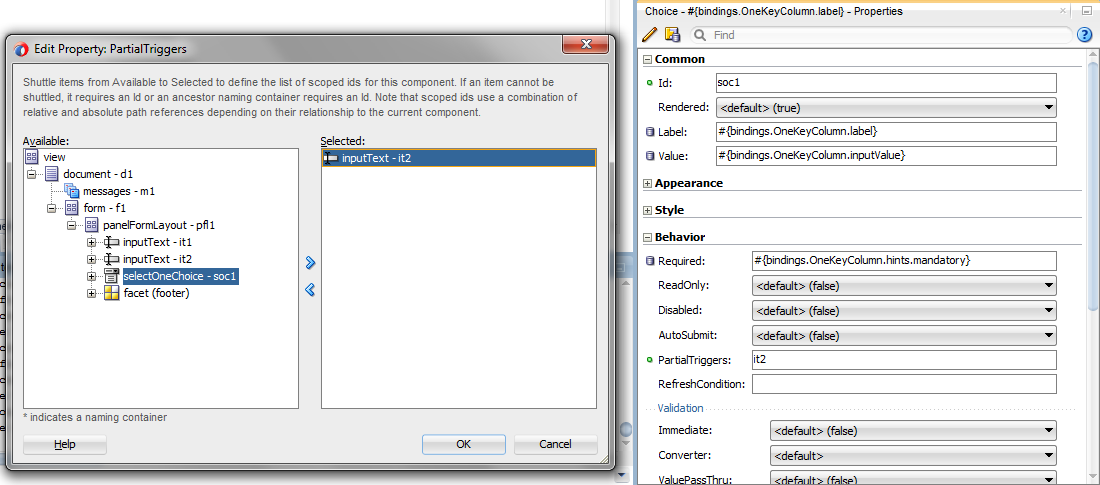
For the test page, please drag&drop MainTableView from the Data Control to the page. Please include navigation and commit buttons. The Type input field must submit its value after each change (autoSubmit set to true) and the OneKeyColumn must refresh itself after such change (partialTrigger on the Type input field). Because the SQL script doesn't contain test data, please also drag&drop CreateWithParams operation. Quick trick for setting the primary key with the row count value is used in this example.


And please take a look on the list of values model after setting Type attribute with abc and not-abc string value.